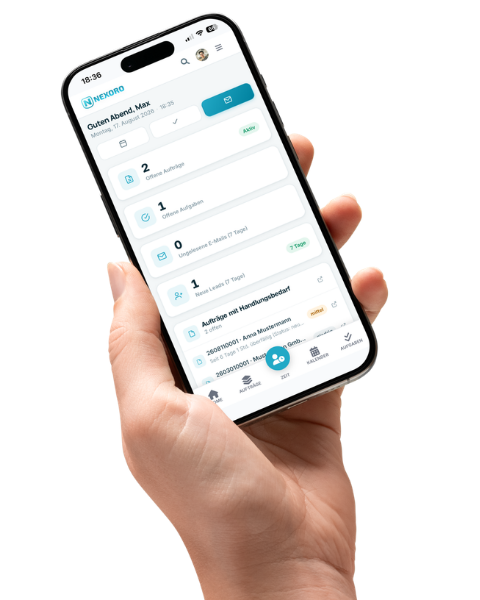
Time, tasks, and milestones — in one place with the order.
Project & Time Management brings together live time tracking with billing types, a monthly planned-vs-actual overview with leave requests, a Kanban board with a timeline and milestones, and a GitHub integration for development projects — all tied directly to the order instead of scattered across several tools.
A timer that knows which order is being worked on
The live timer starts right on the order you searched for instead of a generic stopwatch, runs against a service type and billing type — time and materials, flat rate, maintenance, site log, or warranty — and lands automatically as a time entry on the right order. Alongside it, "My tasks" shows at a glance what's due today, this week, or this month.
- Find the order by search, start the timer, add a note if needed.
- A billing type per time entry: time and materials, flat rate, maintenance, site log, warranty.
- My tasks filtered by day, week, or month, right alongside.
Planned vs. actual per employee, for the whole month
The monthly time overview shows target, actual, and balance per day for each employee, including a running total balance and carryover into the following month. Alongside it are leave entitlement, leave taken and pending, sick days, and home-office days — and a closed month can be printed as a PDF, instead of piecing numbers together by hand at month's end.
- Target, actual, and balance per day and employee, carried into the next month.
- Leave entitlement, remaining leave, sick days, and home-office days at a glance.
- Close the month and print it as a PDF, for payroll or the archive.
A Kanban board right on the project, no separate tool
Tasks move through To do, Planned, In progress, Review, and Done, each carrying a label, due date, subtask count, and assignee avatar. Because the board sits on the project — which can itself be linked to an order — context is preserved instead of managing tasks in a separate project management tool.
- Five columns from to-do to done, with labels and subtasks.
- Filter by area, label, or "only my tasks".
- Color-coded due dates, so anything overdue stands out immediately.
Status, deadlines, and history, without counting every task by hand
Every project gets its own overview with figures for completed, newly created, upcoming, and overdue tasks, plus a status breakdown, deadline status, and a trend of created versus completed tasks over the past weeks. The activity list below shows who last changed what, without hunting through the board itself.
- Figures for completed, new, upcoming, and overdue tasks.
- Status breakdown and deadline status as donut charts.
- A trend of created versus completed tasks over recent weeks.
Schedule tasks on the timeline, instead of just keeping a list
Unscheduled tasks sit as chips below the timeline and can be dragged onto a calendar week — with week, month, or quarter as the zoom level. Milestones mark target dates a project is working toward, and bundle every task that needs to be done by that date.
- Drag tasks from "unscheduled" onto the timeline.
- Zoom level of week, month, or quarter, depending on the planning horizon.
- Milestones as target dates, bundling every task that belongs to them.
Repositories, branches, and pull requests right on the project
For development projects, GitHub repositories can be linked directly to an area — open pull requests, branches, and the latest commits show up on the project instead of someone switching back and forth between Nexoro and GitHub to check the current state.
- Link multiple repositories per project, each mapped to an area.
- Open pull requests and branches visible directly on the project.
- Track recent commits without opening GitHub separately.